
Manager, has customisable dashboard, you can add new widgets as you like
- Go to Dashboard Menu on the left up corner.
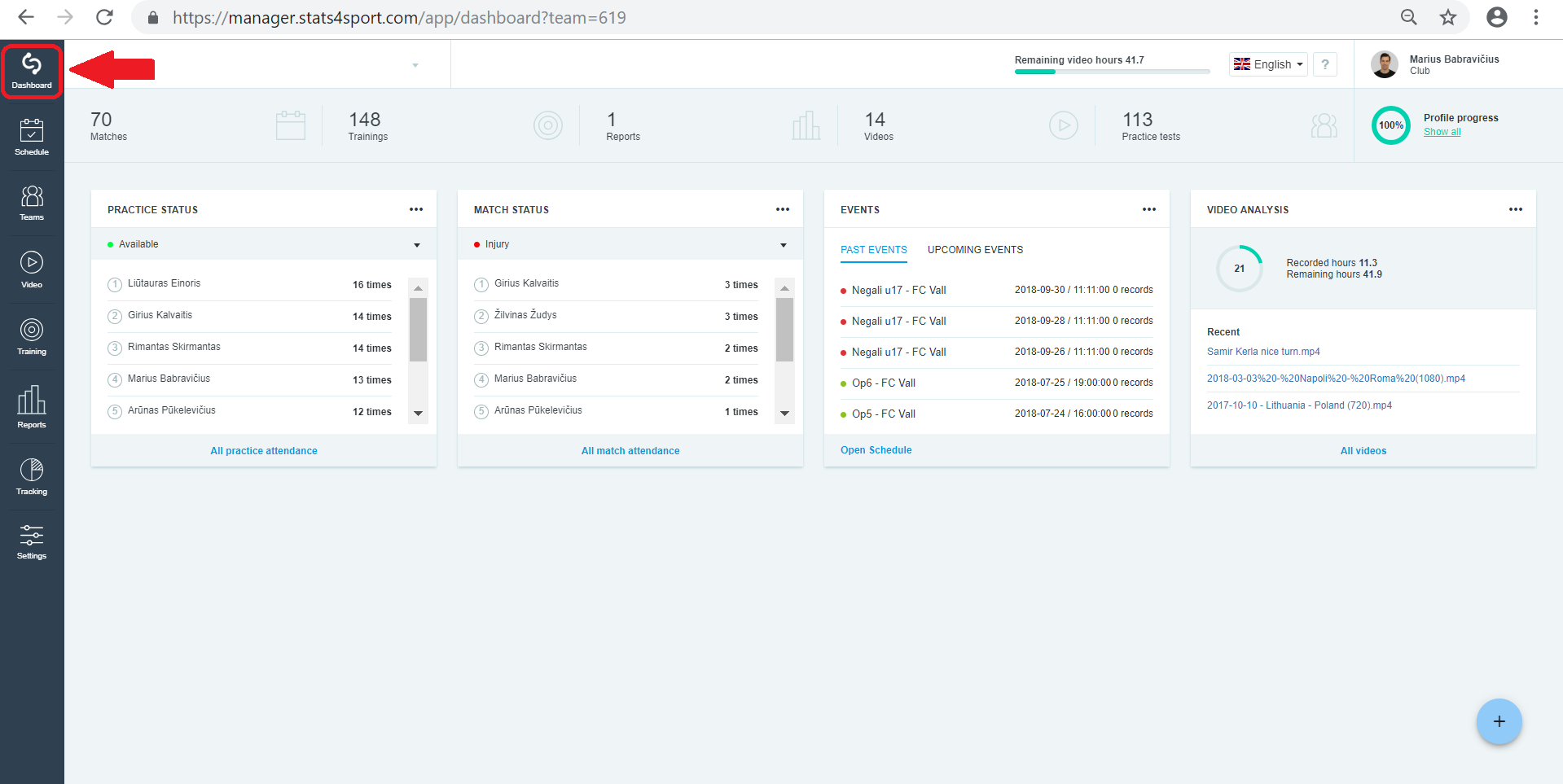
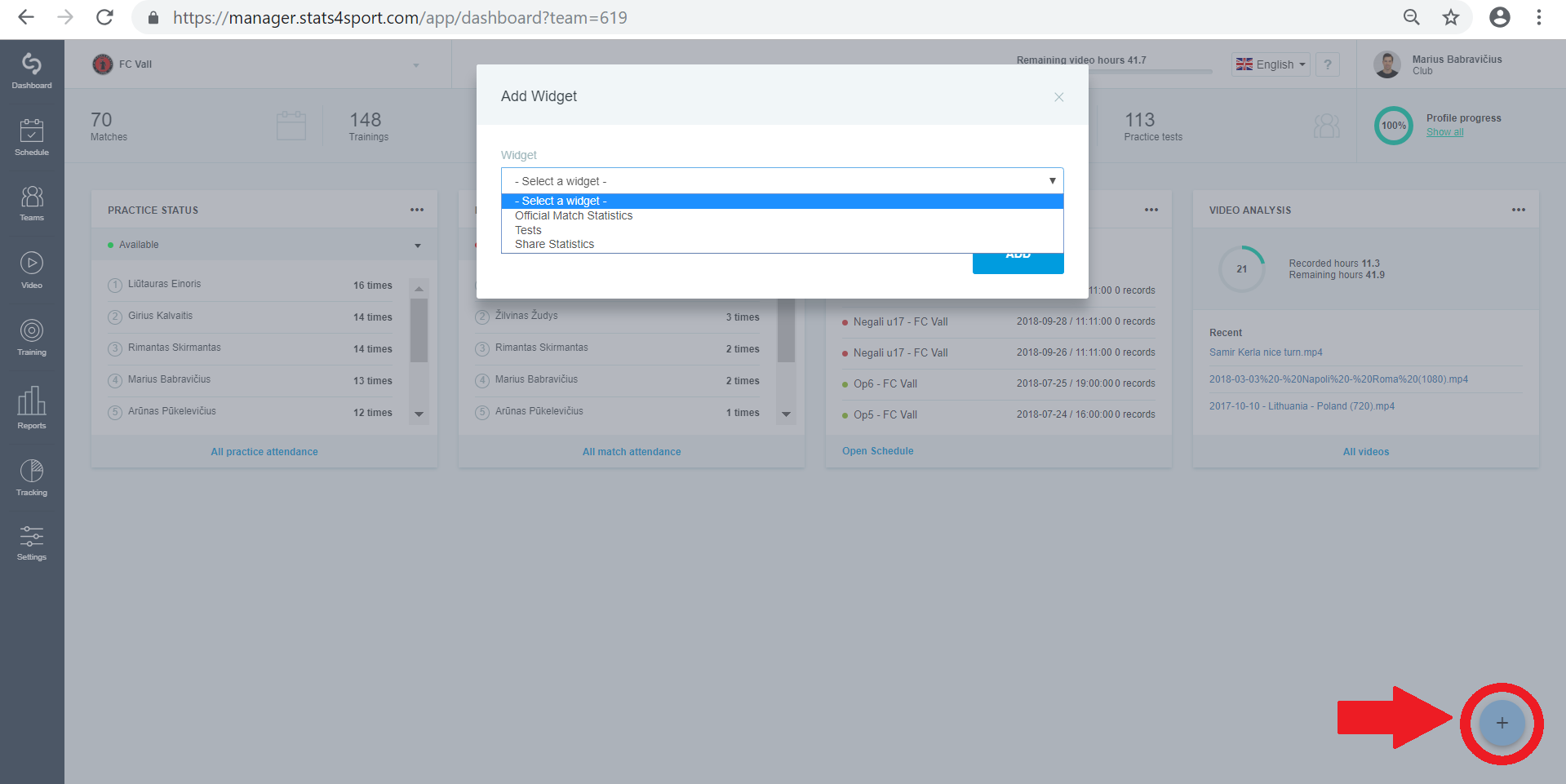
- Press "+" on the right down corner. Choose widget you want to add and click "ADD".
Ut in vestibulum risus, ut tincidunt sem. Morbi molestie egestas felis, consequat mattis magna suscipit non. Proin ex enim, faucibus sit amet odio vestibulum, condimentum egestas libero.
Cras eget leo in quam euismod viverra et luctus tellus. Nullam porta euismod est sodales cursus. In lacinia, mauris quis volutpat tempor, nulla turpis vulputate magna, ut elementum turpis leo vel libero.
Ut in vestibulum risus, ut tincidunt sem. Morbi molestie egestas felis, consequat mattis magna suscipit non. Proin ex enim, faucibus sit amet odio vestibulum, condimentum egestas libero.
Cras eget leo in quam euismod viverra et luctus tellus. Nullam porta euismod est sodales cursus. In lacinia, mauris quis volutpat tempor, nulla turpis vulputate magna, ut elementum turpis leo vel libero.